Next.js Deployments: Vercel vs Cloudflare Stack (OpenNext, Workers, R2, D1)
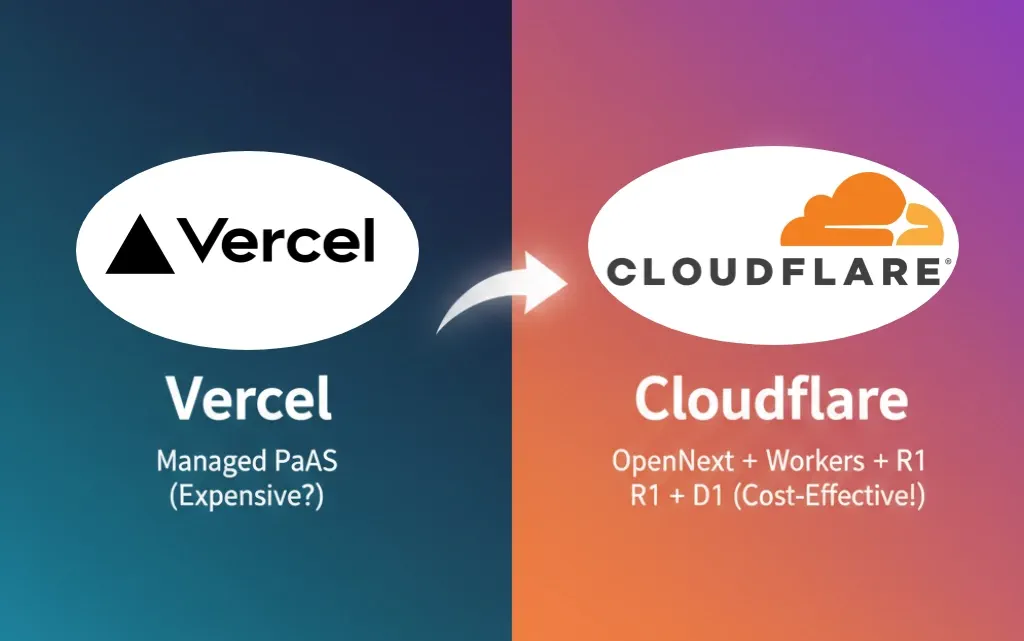
Next.js Deployment: Vercel’s Walled Garden vs. The Cloudflare Superstack As a developer, I love Next.js. It’s a powerhouse. And naturally, the “easy button” for deployment is Vercel. It’s the default, the seamless “it just works” solution. But “easy” often means “expensive,” and in Vercel’s case, it also means “lock-in.”
If you’re like me and you care about cost, control, and raw performance, Vercel’s comfortable walled garden starts to look less like a convenience and more like a trap.
This is where the Cloudflare superstack comes in: deploying a full-stack Next.js app using OpenNext on Cloudflare Workers, with R2 for storage and D1 for your database.
Let’s break down why this is the winning combination for any developer who pays their own bills.
The Contenders
- Team Vercel: The all-in-one PaaS. Seamless Git integration, automatic
next/imageoptimization, and a fantastic developer experience. It’s the “Apple” of Next.js hosting. - Team Cloudflare: The “DIY” powerhouse. This isn’t just “Cloudflare Pages” for a static site. This is a full-stack, serverless solution using:
- OpenNext: A community-built adapter that “un-Vercels” your Next.js app, making it portable.
- Cloudflare Workers: The compute. Your server-side code (API routes, SSR) runs on Cloudflare’s massive global edge network.
- R2 Storage: An S3-compatible object storage… with zero egress fees. (Yes, you read that right.)
- D1 Database: A serverless SQL database that lives at the edge with your code.
💰 The Main Event: Cost (Free vs. Paid)
This is where the fight ends for most of us. Cloudflare doesn’t just win here; it’s a total knockout.
The “Free” Tier Trap
Vercel (Hobby Plan): Looks generous, right? 100GB of bandwidth, plenty of function invocations. But read the fine print: it’s for non-commercial use only. The second you run a single ad or sell a single product, you are violating their terms of service. It’s a “free trial,” not a free plan.
Cloudflare (Free Plan): Genuinely free. You get unlimited bandwidth. You get 100,000 Worker requests per day. You get generous free tiers for R2 and D1. And most importantly, it is 100% commercial-use friendly. You can build a real, profitable business on Cloudflare’s free plan, and they encourage it.
BREAKDOWN:
| Feature | Vercel (Hobby Plan) | Cloudflare (Free Plan) |
|---|---|---|
| Commercial Use | Strictly Forbidden | Allowed & Encouraged |
| Bandwidth | 100 GB/month | Unlimited |
| Compute | Generous | 100,000 requests/day |
| Verdict | A “free trial” or a toy. | A professional tool. |
Winner: Cloudflare, and it’s not even close. Vercel’s free plan is a toy; Cloudflare’s is a tool.
The “Paid” Plan Punishment
This is what happens when your app gets successful. Vercel punishes success; Cloudflare enables it.
Vercel (Pro Plan):
- Base Cost: $20/month per user.
- Bandwidth: You get 1TB. After that? Prepare for a heart attack. You’ll pay around $0.15 per GB. If your app serves 10TB of data (easy for a popular site), that’s an extra **$1,350 in overages**, on top of your seat-based fee.
- Image Optimization: This is the real hidden cost. It “just works” until you get the bill. The Pro plan includes 5,000 optimizations, but then it’s $5.00 per 1,000 additional images. This is wildly expensive.
Cloudflare (Paid Plan):
- Base Cost: The “Pro” plan for Pages is just the Workers Paid plan: $5/month. This single plan raises your limits across the board.
- Bandwidth: I have to say it again. IT’S $0.00. Unlimited. 10TB of data? $0. 100TB? $0. This is the single biggest cost-saver in modern web development.
- Storage (R2): It’s pennies per GB, and egress is free. You only pay for what you store.
- Image Optimization: You use Cloudflare Images. The cost? Around $0.50 per 1,000 transformations. That is 10 times cheaper than Vercel.
Let’s put that in a table so the difference is painfully clear:
| Cost Factor | Vercel (Pro Plan) | Cloudflare (Workers Paid) |
|---|---|---|
| Base Monthly Cost | $20 / per user | $5 (total) |
| Included Bandwidth | 1 TB | Unlimited |
| Cost for 10TB Bandwidth | ~$1,350 (overage) | $0 |
| Image Optimization | $5.00 / 1,000 images | **$0.50 / 1,000 images** |
Winner: Cloudflare. This isn’t a comparison; it’s a public service announcement. Vercel’s pricing is designed to trap you. Cloudflare’s is designed to let you build.
Maintenance & Developer Experience (DX)
I have to be honest: this is Vercel’s one big win, but it’s not the win you think it is.
- Vercel: The DX is butter.
git pushand you’re done.next/imageworks out of the box. It’s seamless because Vercel built Next.js to work seamlessly on Vercel. This is the “lock-in” part. - Cloudflare: This stack requires you to be a developer, not just a framework user. You have to use OpenNext, which is a brilliant community tool that adapts your
.nextbuild output to run on Workers.- The “Work”: You add the OpenNext adapter, you configure your
wrangler.tomlfile, and you have to be mindful of Worker size limits (10MB on the paid plan, which is plenty for most apps if you’re smart). - The “Gain”: You now have a fully portable app. You’re not tied to Vercel. You’re using a full Node.js runtime on the edge (thanks to OpenNext, which is far more powerful than the old
next-on-pagesedge-only adapter).
- The “Work”: You add the OpenNext adapter, you configure your
Winner: Vercel wins on “zero-config” ease. Cloudflare wins on “control and portability,” which is what a professional developer should value more.
⚡ Performance & Speed
- Vercel: It’s fast. They have a good edge network (about 18 regions) and zero cold starts on their Pro plan. No complaints.
- Cloudflare: It’s faster. This is Cloudflare’s entire business. Their edge network is the largest in the world (300+ locations). Your code runs physically closer to all your users, not just the ones near Vercel’s chosen data centers. And Cloudflare Workers are legendary for their 0ms cold-start architecture.
Winner: Cloudflare. Vercel is fast, but Cloudflare is the network.
🖼️ Feature Support (The Image Optimization Showdown)
- Vercel: Uses the built-in
next/imagecomponent. It’s easy, but as we saw, it’s a cost trap. - Cloudflare:
next/imagedoesn’t work out of the box. You have two options:- Use the OpenNext adapter, which has some support.
- The smart option: Use the
unoptimizedprop onnext/imageand pair it with a custom loader for Cloudflare Images.
Yes, this is 10 minutes of extra setup. In return, you get a more robust, feature-rich image optimization service that is 10x cheaper and serves from the same massive edge network as the rest of your app.
Winner: Cloudflare. Vercel’s solution is easy and expensive. Cloudflare’s is easy-enough and dramatically cheaper and more powerful.
📊 Visitor Scenarios: Who Wins When?
Scenario 1: The Low-Traffic Hobby Project / Portfolio
- Vercel: Fine, as long as you never plan to make a dollar from it.
- Cloudflare: Clear Winner. You can run your hobby project here, and if it accidentally becomes a business, you’re already on the right platform. No migration, no surprise bills.
Scenario 2: The High-Traffic Commercial App
- Vercel: Get your company credit card ready. Your success will be Vercel’s payday. That $1,350 bandwidth overage isn’t a joke.
- Cloudflare: Clear Winner. Your app scales to millions of users, and your bill barely moves. Your bandwidth is $0. Your compute and storage costs are minimal. You are rewarded for success, not penalized.
Last Verdict
Vercel is a fantastic, polished product. It’s perfect for teams with more money than time, who value convenience above all else and don’t want to think about infrastructure.
The Cloudflare stack (OpenNext + Workers + R2 + D1) is a platform. It’s the choice for the professional, cost-conscious developer. It demands a little more from you at setup, but in return, it gives you a more performant, more scalable, and more portable application that costs orders of magnitude less than its Vercel-hosted twin.
Don’t get locked into the easy default. Build on a platform that won’t punish you for winning.